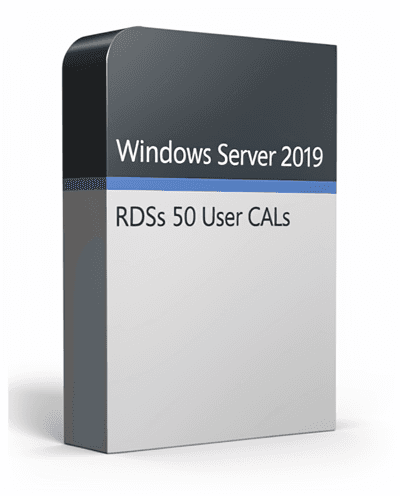
WINDOWS SERVER 2019 REMOTE DESKTOP SERVICES - 50 USER CALS CERTIFICATE
Windows Server 2019 Remote Desktop Services (RDS) – 50 User CALs enables secure, scalable remote access for businesses. Empower up to 50 users to access desktops, applications, and data from anywhere in the world using any device with enterprise-grade security and centralized management.
Important Information
By purchasing Windows Server 2019 Remote Desktop Services (RDS) – 50 User CALs, you'll receive a Step by step validation that can be activated directly on the your account.
Delivery is completely digital — your activation key and setup instructions will be sent to your email within minutes after purchase.
KeyHubOnline guarantees licenses, Step by step validation s, and instant delivery.
Windows Server 2019 RDS 50 User CALs – Enable Secure, Scalable Remote Access
Empower your business with Windows Server 2019 Remote Desktop Services (RDS) — Microsoft's secure solution for virtual desktop infrastructure and remote app delivery. With this 50 User CAL package, up to 50 users can access desktops, applications, and data from anywhere in the world, using any device.
RDS enables centralized management, streamlined deployment, and efficient remote work while maintaining enterprise-grade security and performance.
What Is a RDS User CAL?
A Remote Desktop Services User CAL (Client Access License) allows one licensed user to access Windows Server desktops or applications from any device.
It expands the core Windows Server licensing to unlock full remote desktop, application virtualization, and VDI (Virtual Desktop Infrastructure) capabilities — ideal for organizations with remote or hybrid teams.
Key Benefits:
- • Access Windows apps and desktops securely from anywhere
- • Simplify IT management with centralized server administration
- • Reduce endpoint maintenance costs
- • Enable remote teams to work efficiently and reliably
Built-In Security and Reliability
Windows Server 2019 RDS incorporates multiple layers of security to protect users and data from evolving cyber threats.
Core Security Features:
- • Windows Defender & Intrusion Prevention: Real-time threat protection
- • Encryption Services: Safeguards user sessions and server data
- • Role-based Administrative Controls: Define access levels per user
- • Multi-layer Security Architecture: Stops attacks even if one layer is compromised
Work confidently knowing that every RDS session is encrypted, authenticated, and protected by Microsoft's enterprise security infrastructure.
Licensing Requirements
To legally use Remote Desktop Services (RDS) on Windows Server 2019, the following licenses are required:
- Windows Server 2019 Server License (Standard or Datacenter)
- Windows Server 2019 CAL (per user or per device)
- Windows Server 2019 RDS CAL (per user or per device)
A User CAL authorizes one named user to connect from multiple devices. A Device CAL authorizes a single device used by multiple users. You can use both types together — the RDS License Manager can manage mixed modes.
Licensing Configuration
RDS CALs can operate in Per User or Per Device mode.
Configuration path: Server Manager → Remote Desktop Services → Licensing Mode
Notes:
- • Per User mode suits employees who use multiple devices (PC, laptop, tablet)
- • Per Device mode fits environments with shared terminals or kiosks
- • The console session (primary keyboard/display) does not require an RDS CAL
Why Choose Windows Server 2019 RDS 50 User CALs
- • product — verified and activatable online
- • Global access to remote desktops and applications
- • Scalable solution for growing teams
- • Multi-layered enterprise security
- • Easy integration with existing Windows Server environments
- • Ideal for hybrid or remote workforce setups
Maximize productivity and flexibility for your organization while ensuring full license compliance.
What You'll Receive
When you purchase from KeyHubOnline, you'll get:
- • Windows Server 2019 RDS 50 User CAL license key
- • activation link
- • Setup & configuration guide
- • Valid email support
- • Secure invoice & license certificate
System Requirements
- Supported OS: Windows Server 2019 Standard / Datacenter
- Processor: 1.4 GHz 64-bit CPU or faster
- Memory: Minimum 2 GB RAM
- Network: Internet required for activation
- Management Tools: Server Manager / Windows Admin Center
Business & Affiliate Opportunities
Are you a reseller or IT distributor? Contact support@keyhubonline.com for bulk pricing and reseller discounts.
Key Features & Benefits
50 User CALs Included
License 50 users to access Windows Server desktops and applications from any device, anywhere.
Enterprise-Grade Security
Multi-layer protection with Windows Defender, encryption services, and role-based access controls.
Centralized Management
Simplify IT administration with Server Manager and Windows Admin Center integration.
VDI & Application Virtualization
Enable virtual desktop infrastructure and remote application delivery for flexible work environments.
Full License Compliance
Ensure your organization meets all licensing requirements for remote desktop access.
Frequently Asked Questions
What's the difference between User CALs and Device CALs?
A User CAL licenses one user to connect from any device; a Device CAL licenses one device used by multiple users.
Do I need both a Windows CAL and an RDS CAL?
Yes. A Windows CAL grants basic access to the server, while an RDS CAL enables remote desktop and app virtualization capabilities.
Can I mix User and Device CALs?
Yes. The RDS License Manager supports both CAL types on the same server.
Is this a perpetual license?
Yes. Your Windows Server 2019 RDS User CALs are Valid licenses that never expire.
Do I need an RDS CAL for console sessions?
No. Console (local) sessions do not require an RDS CAL.
How fast will I receive my product key?
Your license key and instructions will be delivered instantly by email after your payment confirmation.